Read what interests you
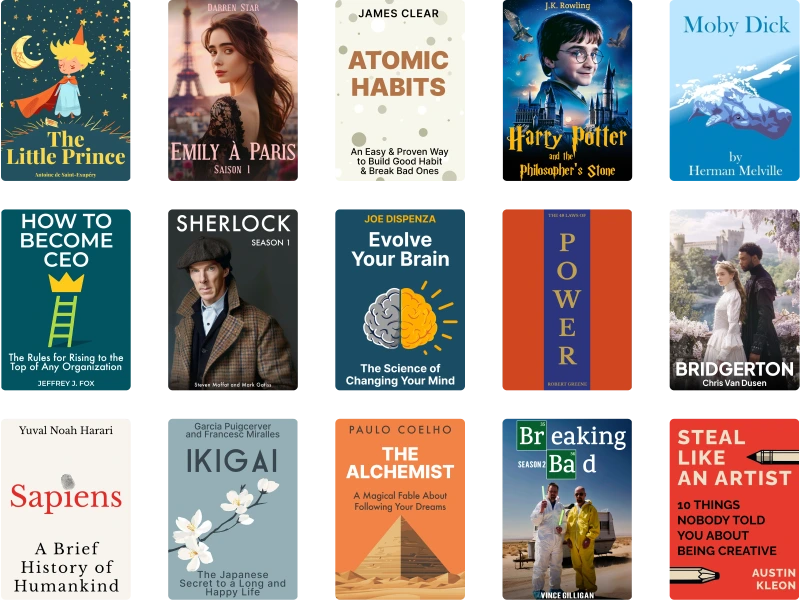
A huge built-in library for every taste. Plus, you can upload your own EPUB books and build your study routine around content you genuinely want to finish.
Lingard turns books, articles, phrases, and daily reading into a focused study flow with instant lookup, flashcards, listening, reminders, and progress that follows you across devices.


One place for reading, vocabulary, listening, and review.
Supported platforms: iPhone, iPad, Mac, and Android.
Built for quick lookup, quick saves, and short daily learning loops.
These are the first advantages people see in Lingard on Android, and they describe the core idea well: read what you care about, understand it in context, and turn that reading into steady language progress.
A huge built-in library for every taste. Plus, you can upload your own EPUB books and build your study routine around content you genuinely want to finish.
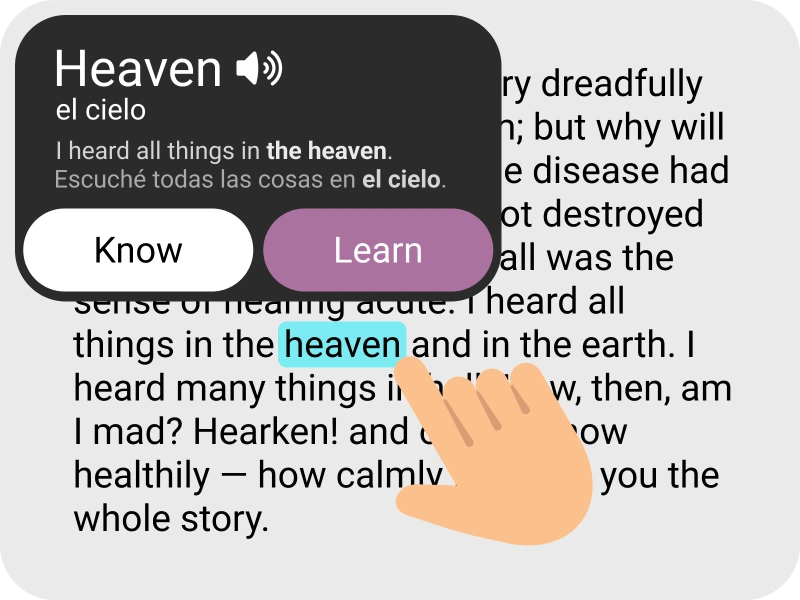
Do not know a word? Tap it to get an accurate translation without interrupting your reading, so curiosity turns into comprehension instead of friction.
Text syncs with audio. Train listening skills, reinforce pronunciation, and keep vocabulary active with a smoother read-listen-repeat loop.

Lingard currently supports four target languages for active learning, reading, translation, and review.
Use Lingard on the device that matches the moment: quick saves on your phone, deeper reading on a larger screen, and lightweight practice whenever you have a few minutes.
Read, review, and continue on iPhone, iPad, and Mac with the same Lingard account flow and library habits.
Lingard now supports Android as part of the same product direction, including reading, flashcards, reminders, and premium access.
Need setup help, subscription help, or troubleshooting? The contact form and FAQ remain separate so support stays fast to find.
Bring in a book, article, or saved page.
Look up words and phrases without breaking the flow.
Turn useful vocabulary into cards and collections.
Come back with flashcards, reminders, and listening practice.
Use Lingard to read more intentionally, collect better vocabulary, and keep your study flow alive across devices.